Online shop
Create listings from stock items, publish them to your storefront and manage the catalogue customers browse.
Overview
Online Shop turns Stock items into public product listings. A listing can reuse stock photos and set its own price and description. Publish it when it is ready and unpublish it when it is not. Customers browse the store without an account. Shop needs Stock enabled.
Who this is for
Retail owners and staff who maintain an online catalogue.
Before you begin
Workora checks access on every request, so a screen only appears when your account is allowed to use it.
- Enable Stock and Shop
Shop depends on Stock and the Shop module.
- Prepare products
Stock items need prices and photos before they make good listings.
- Check availability
If nobody in your business can open the shop, it may be switched off for everyone.
Step-by-step guide
Create listings from stock rather than typing products twice.
- Open Online Shop
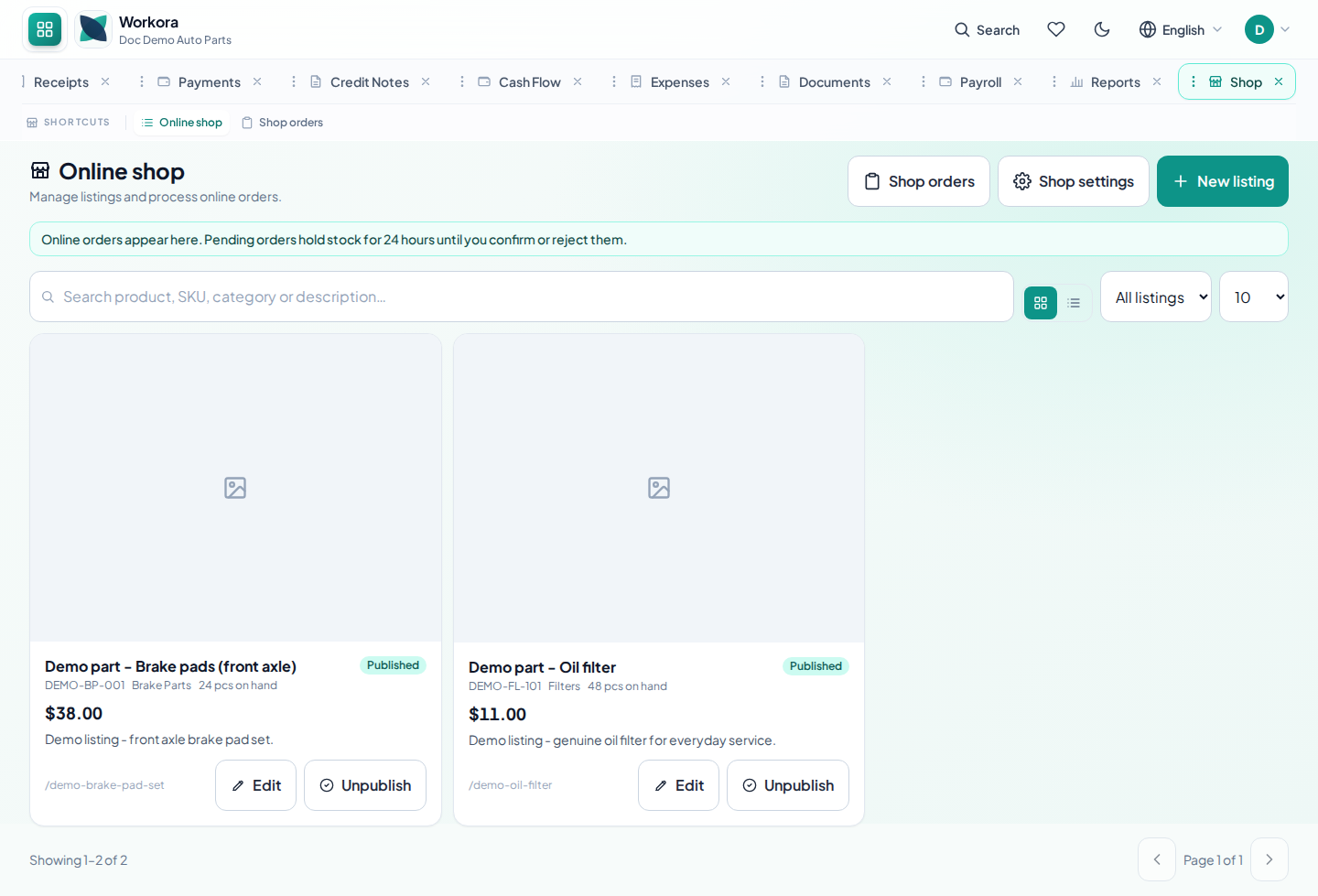
Go to Shop to see the listing workspace.
- Create a listing
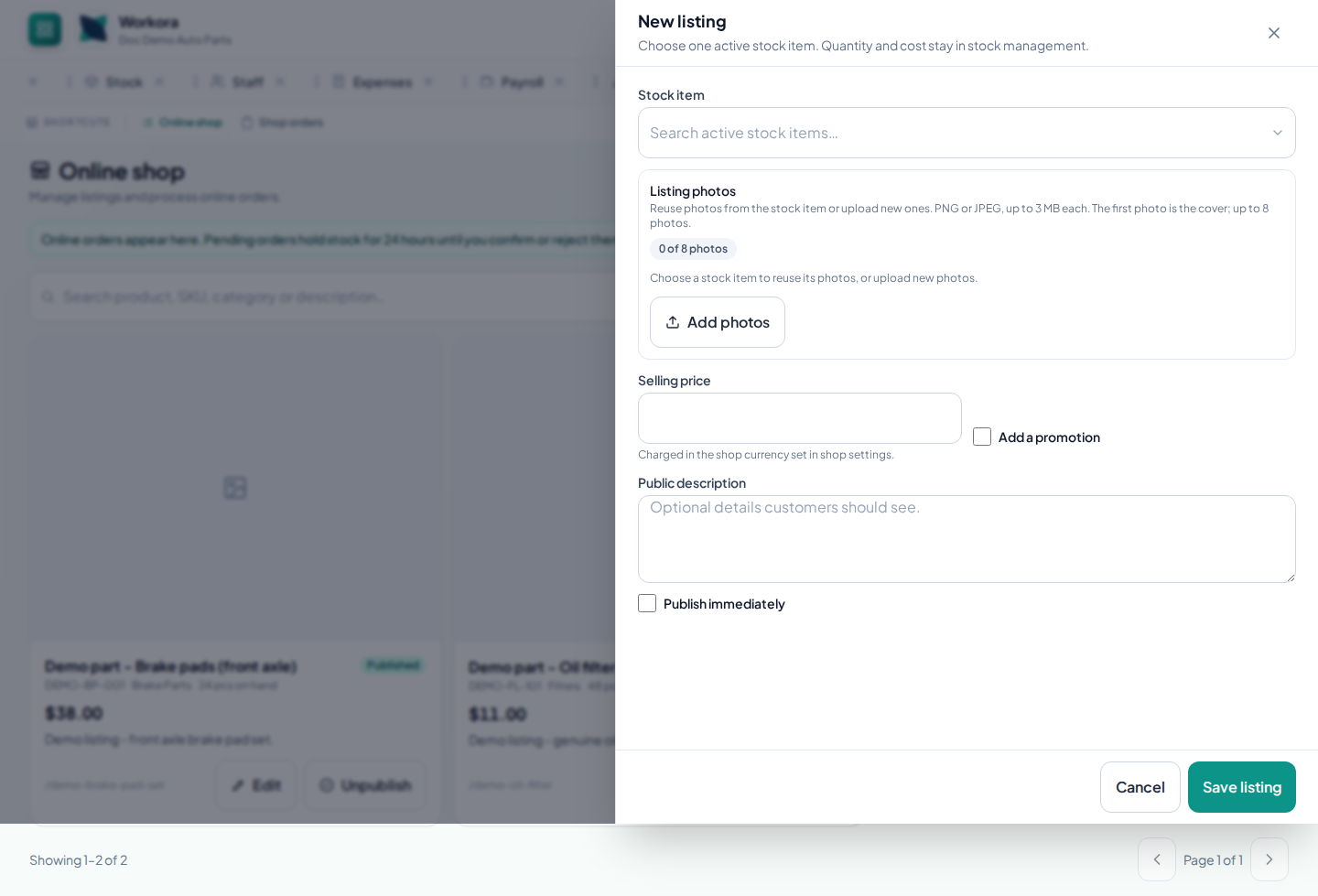
Choose New listing, select a stock item and enter a customer-facing name and description.
- Set the public price
Review or override the selling price for the storefront.
- Add photos
Upload new images or copy photos from the stock item.
- Publish the listing
Choose Publish when the listing is ready. It appears in your public store.
- Update the banner and settings
Owners set the storefront banner, contact details and shop preferences.
- Review shop reports
Use Shop reports to see popular listings and order activity.
- Unpublish a product
Unpublish instead of deleting when a product is temporarily unavailable.
Screens and figures
Listing status tells you what customers can currently see.
Business use case
A workshop sells parts online and in person
A storekeeper publishes 20 brake and filter items from Stock. A customer finds one in the public shop directory and places an order. The same stock item is available at the counter, so both channels draw from one quantity.
Result
The business reaches online buyers without maintaining a second catalogue.
Tips and common mistakes
- Unpublishing does not delete the listing; you can bring it back later.
- Shop orders create payments in the shared ledger and appear in shop reports.
- Stock photos can be reused, saving upload time and keeping imagery consistent.