Quotes
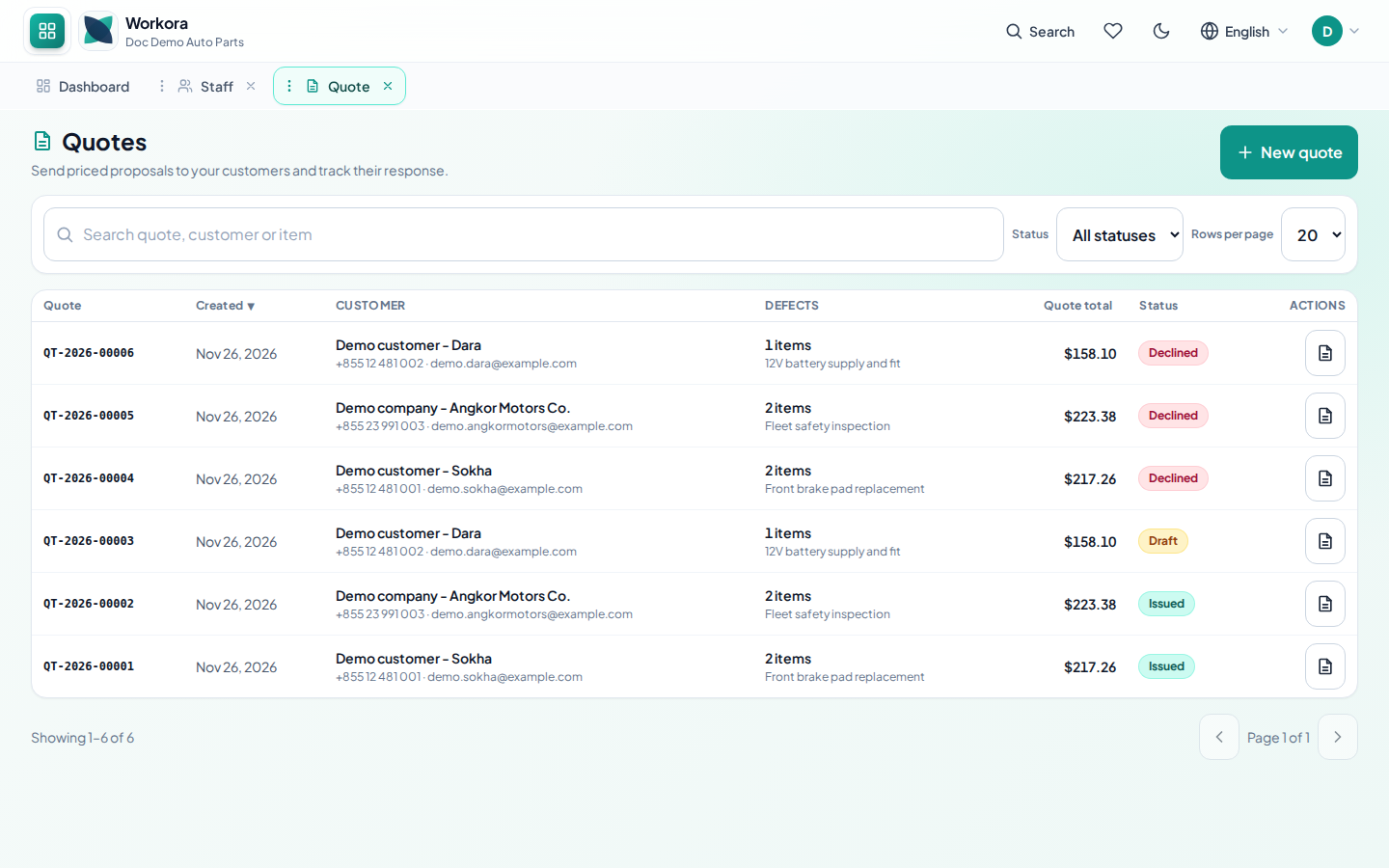
Create a customer quote with line items, issue it for review and convert an accepted quote into an invoice.
Overview
A quote captures estimated work, parts and prices before a sale is confirmed. Quotes are independent records: they can be linked to a customer, carry attachments and move through draft, issued, accepted or declined states. An accepted quote becomes the source for an invoice without re-keying the agreed lines.
Who this is for
Sales staff, service advisors and owners who price work before it starts.
Before you begin
Workora checks access on every request, so a screen only appears when your account is allowed to use it.
- Enable Quotes
The business and the user role must both include the Quotes module.
- Have a customer
Create the customer in CRM first if you want the quote linked to a customer record.
- Check stock prices
If the quote includes parts, confirm the current stock item and price.
Step-by-step guide
Follow this sequence for a quote that may turn into an invoice.
- Open Quotes
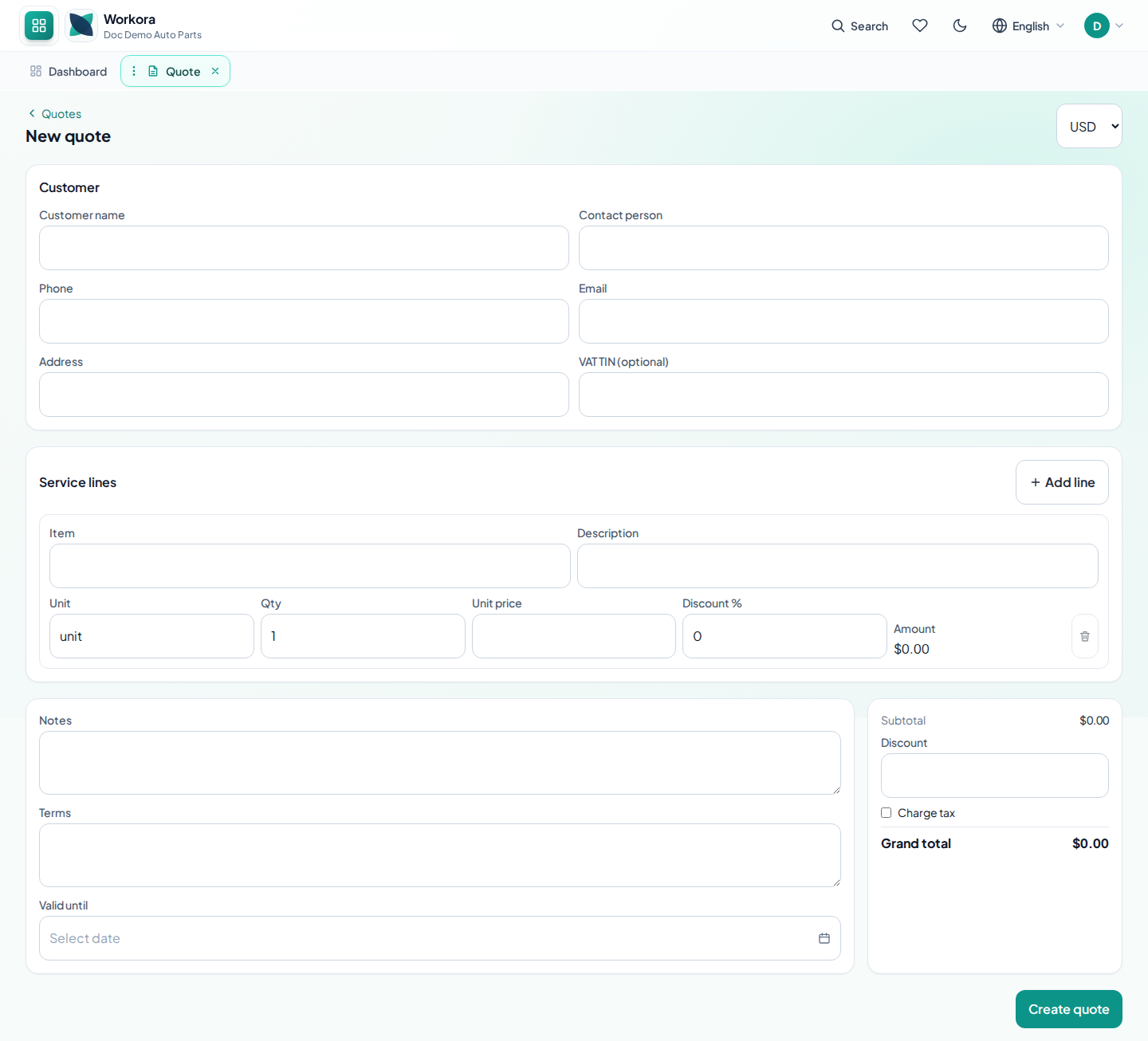
Go to Quotes and select New quote. The create form opens in a drawer.
- Choose the customer
Select an existing customer, or leave it unassigned if the quote is speculative.
- Add line items
Enter a description, quantity and unit price. Add tax or a discount if your workflow uses them.
- Save as draft
Save while prices are still changing. A draft can be edited freely.
- Issue the quote
Open the quote detail and choose Issue. The public token becomes available for sharing.
- Share with the customer
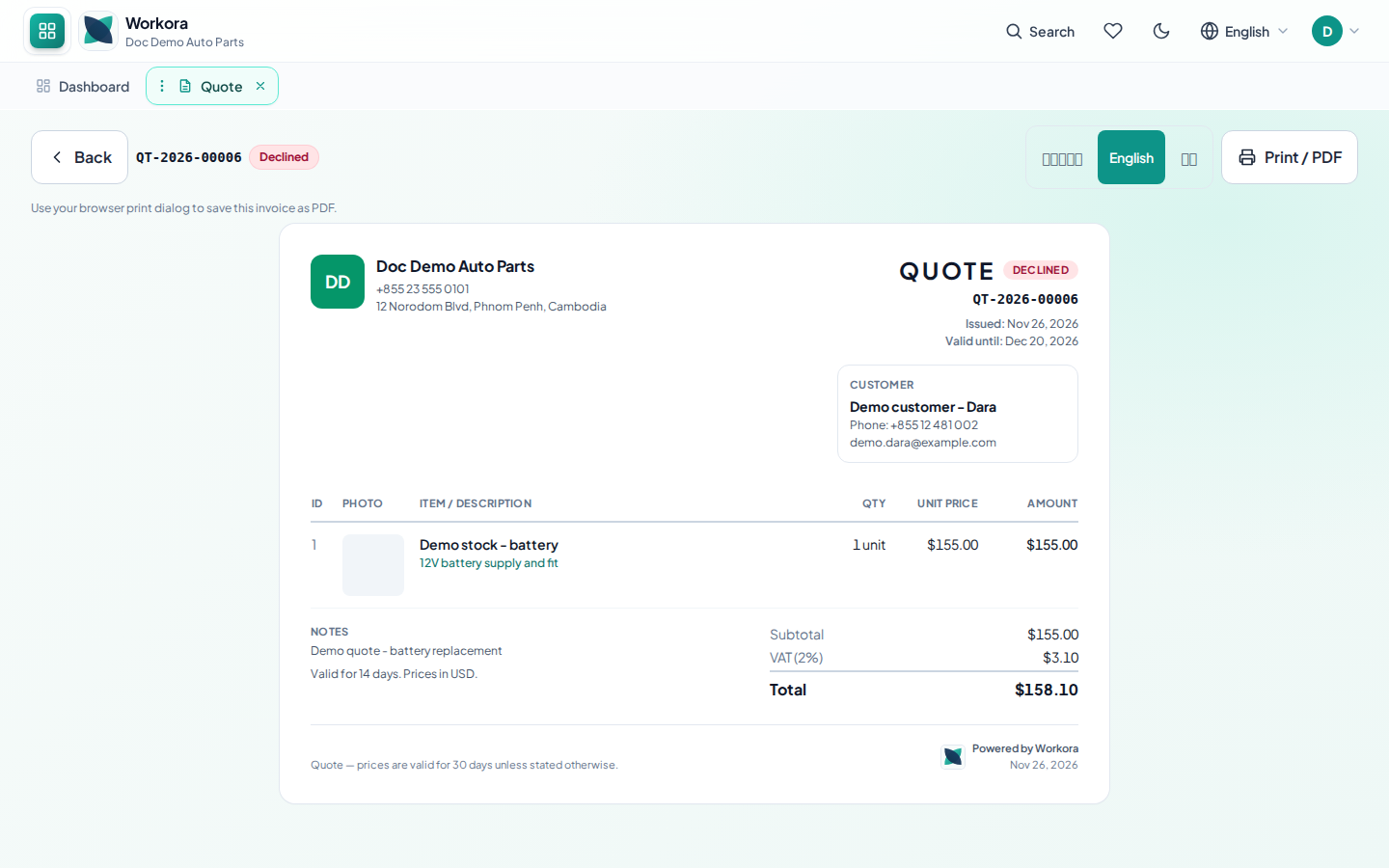
Send the public quote link or print the document. Customers can review it without an account.
- Record the decision
Choose Accept or Decline when the customer responds.
- Convert an accepted quote
Use Create invoice from quote to carry the approved lines into an invoice.
Screens and figures
The quote detail view keeps status and next actions together.
Business use case
From estimate to approved sale
A salesperson records a customer’s requested work as a quote with labour and parts. The customer opens the public quote link and accepts it. The salesperson creates an invoice from the accepted quote and the team begins fulfilment.
Result
The approved price is preserved as the starting point for billing, reducing re-keying and disputes.
Tips and common mistakes
- Issue a quote only when the numbers are final; later revisions are safer as a new quote.
- Accepted quotes feed invoice creation, but you can still adjust quantities before issuing the invoice.
- Add attachments when visual evidence helps the customer decide.