Purchases
Raise a purchase order, approve it, receive goods into stock and track what you owe.
Overview
A purchase order moves through draft, submitted, approved, rejected, cancelled and completed states. Only the receiving step changes stock quantities. Approved or completed orders create payables that can be settled in Payments and reported in Cash Flow.
Who this is for
Storekeepers, purchasers and owners approving spend.
Before you begin
Workora checks access on every request, so a screen only appears when your account is allowed to use it.
- Enable Purchases and Stock
Purchases require the Purchases module and the Stock business entitlement.
- Add vendors and stock items
Both are needed for a complete order.
- Know your approval rule
Decide who submits and who approves orders in your team.
Step-by-step guide
Use the full lifecycle when you want an audit trail for spend.
- Open Purchases
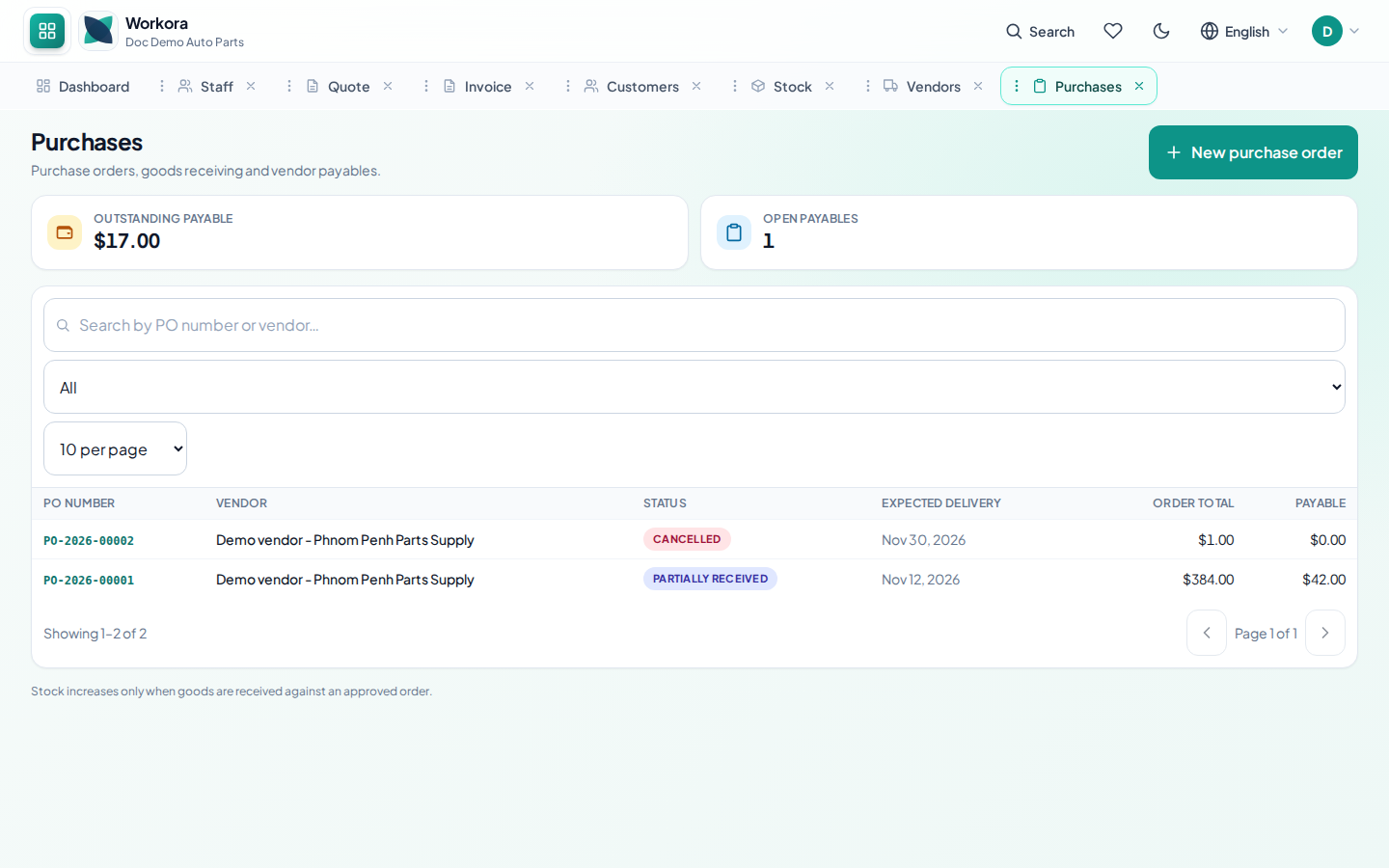
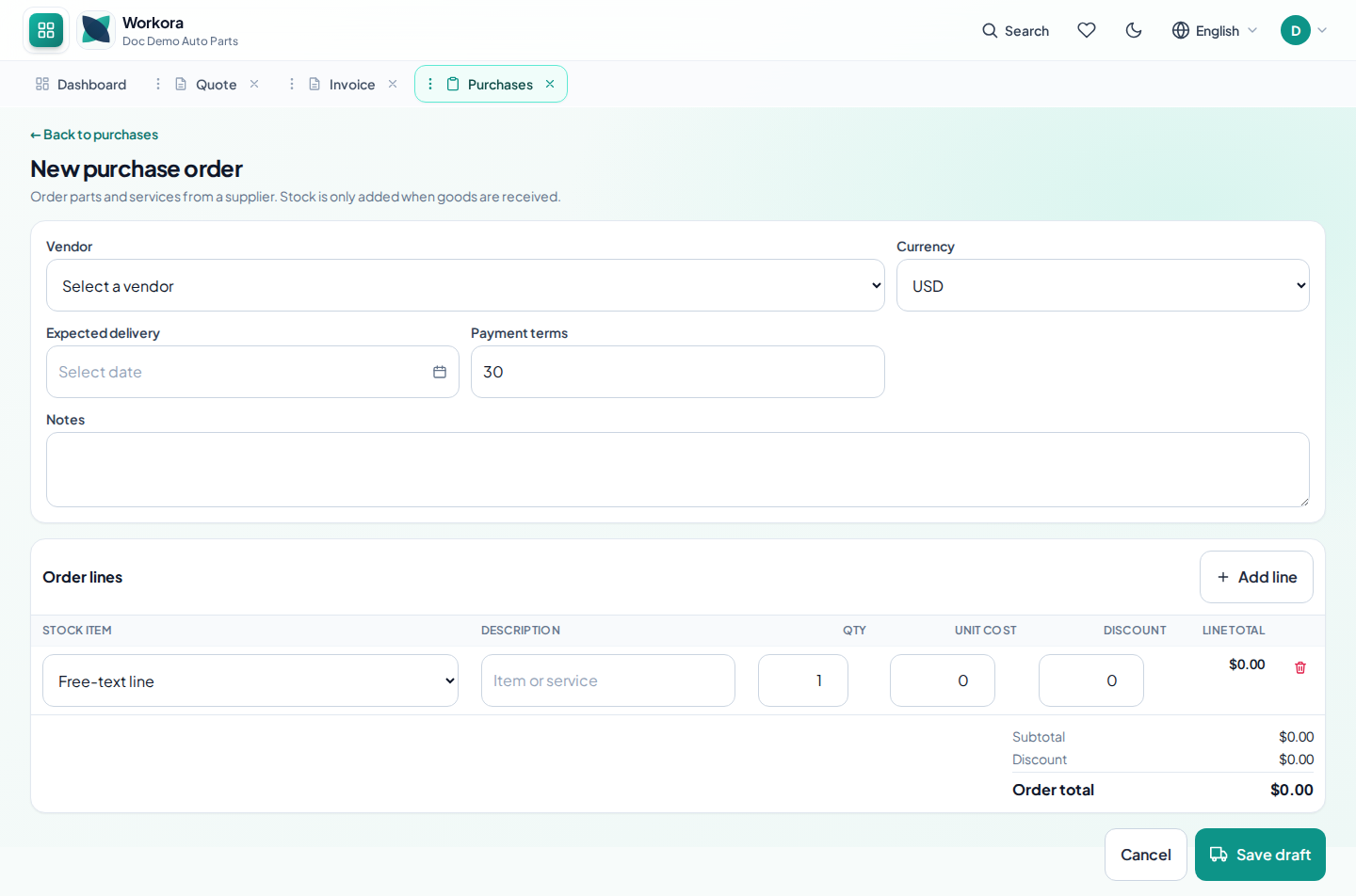
Go to Purchases and choose New order.
- Select a vendor
Choose the supplier from the vendor options.
- Add stock items
Select items, quantities and unit costs. The running total updates as you add lines.
- Save and submit
Save the draft, then choose Submit when the order is ready for approval.
- Approve or reject
An authorized user opens the order and chooses Approve or Reject.
- Receive goods
Create a receipt and enter the quantities actually delivered. Stock movements are created at this point.
- Complete the order
Mark the order complete once all expected goods have arrived.
- Settle the payable
Open Payments → Payables, create the payment and allocate it to the order.
Screens and figures
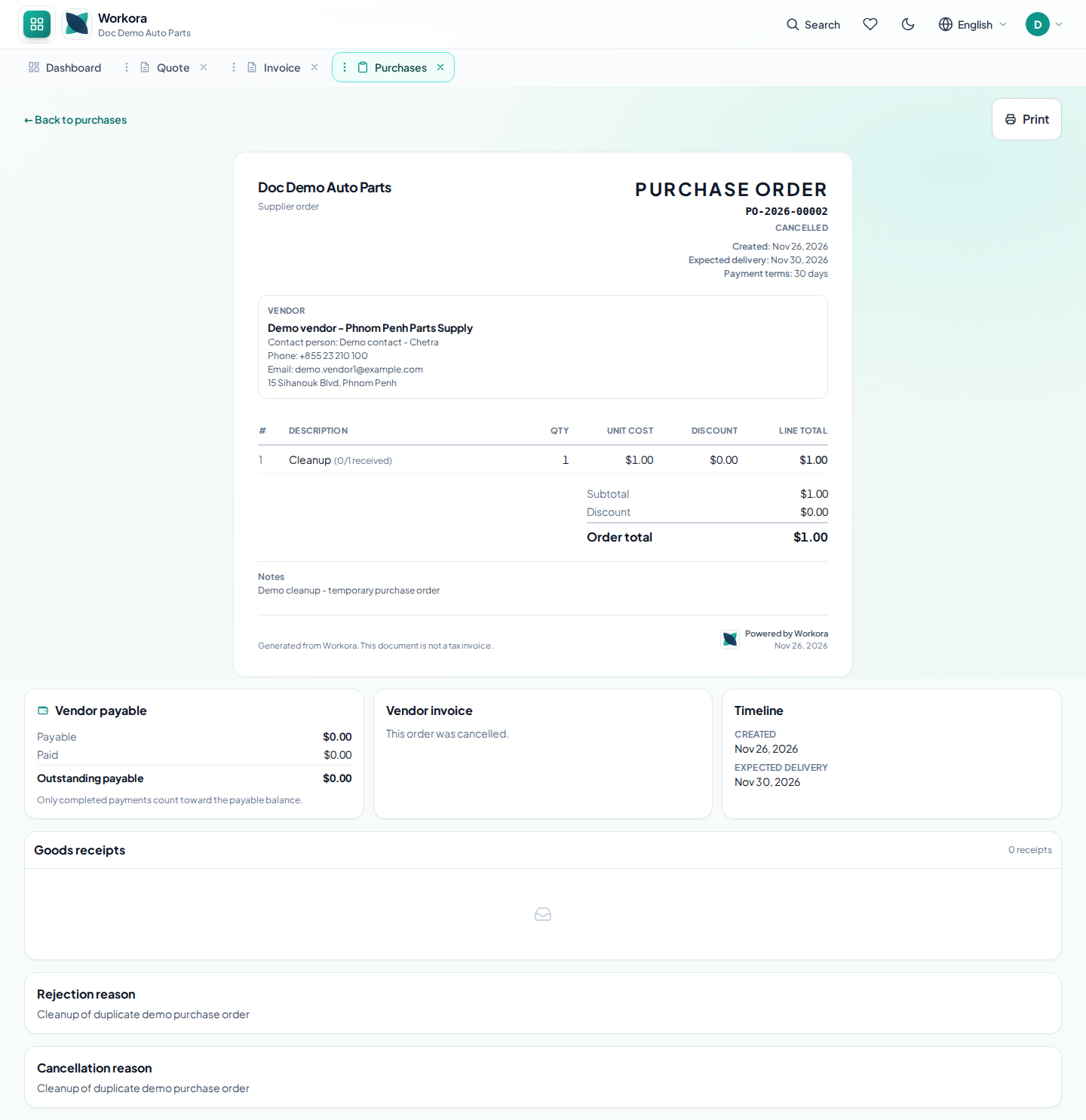
The purchase detail page shows approval status, lines and receiving actions.
Business use case
Restocking an auto parts shelf
Low-stock alerts identify brake pads. The storekeeper drafts an order for 20 units, submits it and the owner approves it. The supplier delivers 18 units; receiving 18 creates the stock movement and a payable for that amount. Payment is recorded later from the payables list.
Result
Stock, supplier spend and cash outflow all reconcile to the same purchase order.
Tips and common mistakes
- Approving an order does not add stock; remember to record the receipt.
- Partial receipts are supported, so record only what actually arrived.
- A cancelled order should not be received; create a new order instead.