Reports
Turn connected records into business and financial summaries without mixing currencies.
Overview
Reports is a read-only analytics module. It includes business activity, financial reports for sales, receipts, expenses, purchases, payables, credit notes and cash flow, plus dedicated Stock, POS and Shop reports. Financial totals are grouped by currency because Workora never adds amounts from different currencies together.
Who this is for
Owners and managers who make decisions from business data.
Before you begin
Workora checks access on every request, so a screen only appears when your account is allowed to use it.
- Enable Reports
The business and role must include Reports.
- Complete source records
Reports reflect issued, completed and closed records, not drafts.
- Use one currency per report
Filter or read totals by currency when the business uses more than one.
Step-by-step guide
Reports are safe to open; they do not change data.
- Open Reports
Go to Reports and choose the report family you need.
- Choose a date range
Set the period that matches your review cycle.
- Open a financial report
Select Sales, Receipts, Expenses, Purchases, Payables, Credit Notes, Cash Flow or Summary.
- Review by currency
Read totals per currency instead of combining different currencies.
- Open module reports
Use Stock reports, Shop reports or POS reports for operational detail.
- Drill into a source
Open a listed record to see the invoice, payment or expense behind a number.
- Export if available
Download a report for your accountant or management meeting.
Screens and figures
Report pages keep filters and summaries above the detail rows.
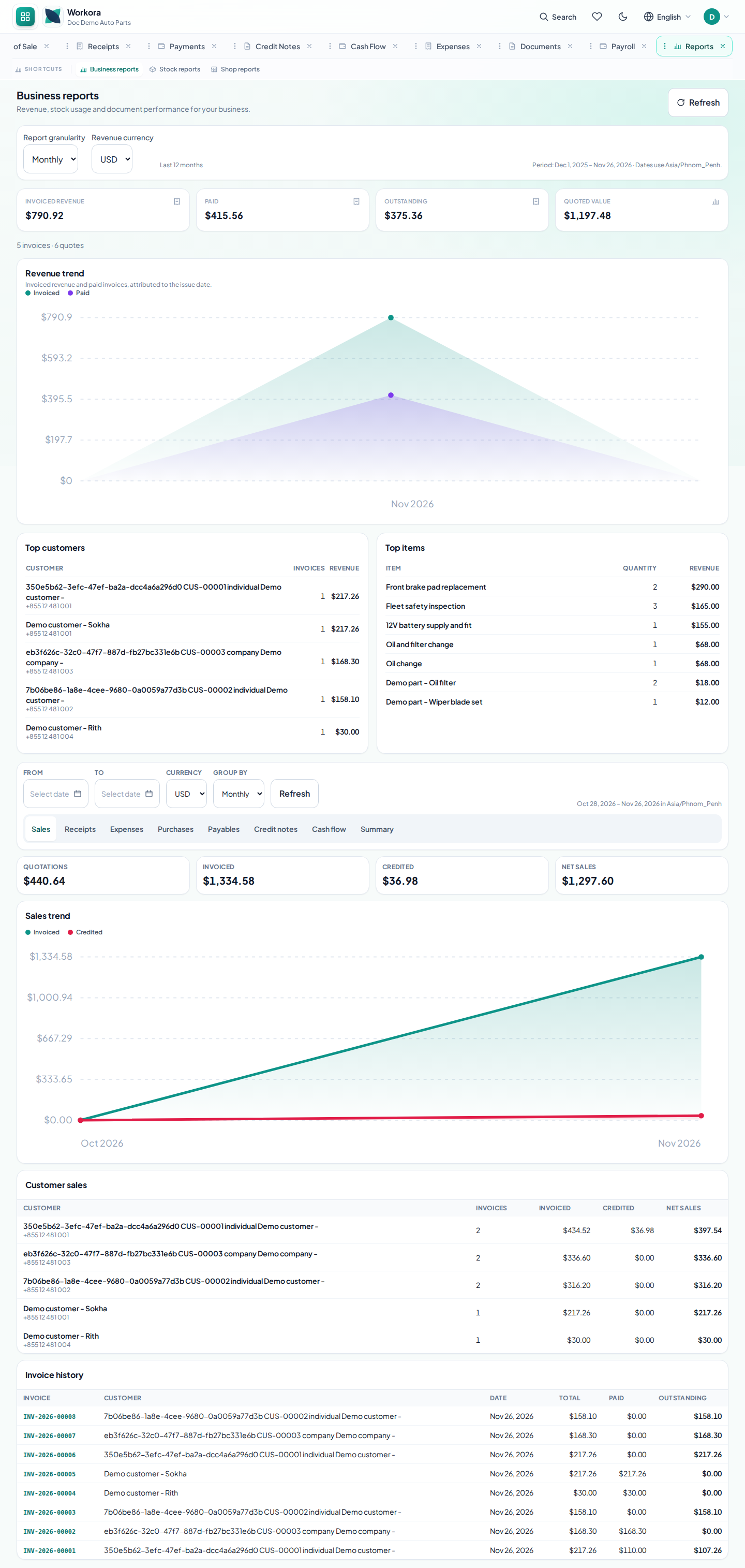
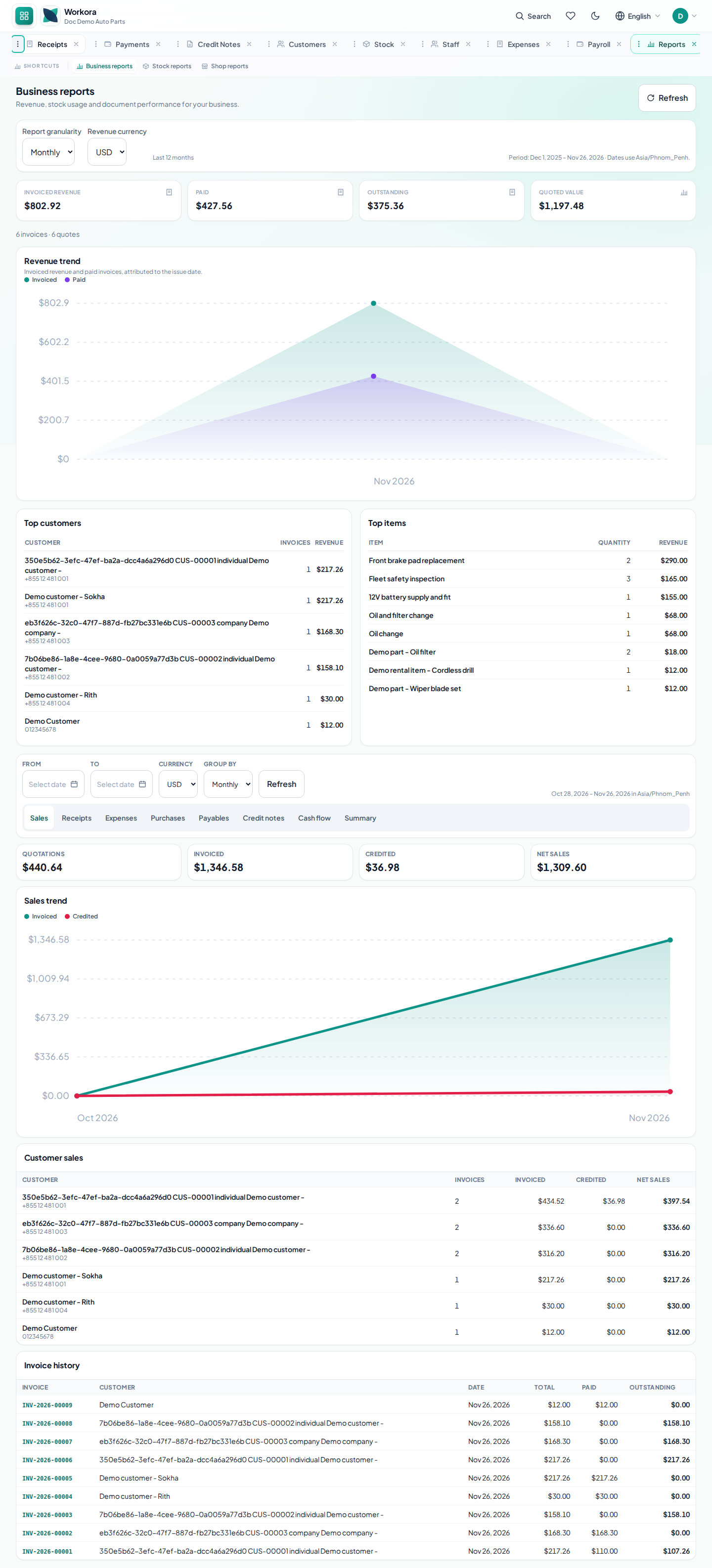
Business use case
A weekly management review
Every Monday the owner opens Reports, checks sales and receipts for the previous week, reviews expenses and payables, and then opens Stock reports to decide what to reorder. Drill-down links make it possible to question any unusual number immediately.
Result
One review covers sales, cash and stock without exporting separate spreadsheets.
Tips and common mistakes
- Drafts and cancelled records do not count as completed business activity.
- Financial summaries are separated by currency by design.
- If a number looks wrong, open the source record rather than adjusting the report.